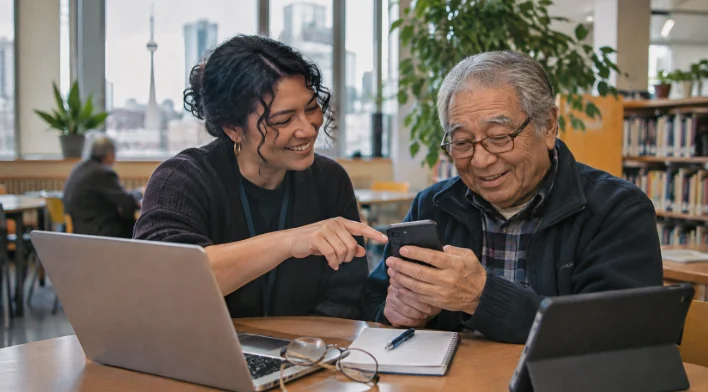
Online Social Activities for Seniors: Finding Good Company from Home
A good conversation doesn’t always need a community centre, a car ride or even a computer screen. Sometimes it begins with a telephone call, a familiar voice and a few people who have agreed to meet at the same time each week.
For older adults who find it difficult to get out regularly, online social activities can offer something more meaningful than another afternoon watching television. Virtual coffee chats, games, book clubs and group discussions provide opportunities to meet people, share interests and maintain a routine from home. The challenge is choosing activities that involve genuine interaction rather than simply spending more time online.
What makes an online activity genuinely social?
Not every online activity creates the same opportunity for connection. Watching a recorded concert might be enjoyable, but it doesn’t necessarily help you meet anyone. Joining a small discussion group, by contrast, gives you a chance to speak, listen and gradually recognize familiar voices.
The distinction matters when your main goal is companionship.
A useful way to evaluate an activity is to ask three questions: Can I speak with other participants? Will I see or hear the same people again? Is there something we can enjoy doing together?
An activity doesn’t need to answer yes to all three. A one-time virtual museum tour can still be worthwhile. But if you’re hoping to make friends, regular sessions with opportunities for conversation are generally a better starting point than prerecorded entertainment.
| Activity | Social interaction | Technology needed | Best suited to |
|---|---|---|---|
| Telephone discussion group | High | Any telephone | People who prefer speaking without a screen |
| Virtual coffee chat | High | Phone, tablet or computer | Casual conversation and meeting new people |
| Online card games or trivia | Moderate to high | Usually a tablet or computer | People who enjoy shared activities |
| Virtual book club | High | Telephone or video connection | Readers who enjoy discussing ideas |
| Live online fitness class | Low to moderate | Usually an internet-connected device | Movement with a sense of group participation |
| Recorded concerts or tutorials | Usually none | Internet-connected device | Independent enjoyment |
These are general comparisons rather than fixed rules. A fitness class with conversation before and after may feel more social than a game where everyone plays silently.
The most useful activity is one you’ll want to return to. Familiarity often makes participation easier: you learn people’s names, recognize their voices and have something to talk about beyond the activity itself.
Activities that work well from home
Conversation circles and virtual coffee chats
Conversation groups are among the simplest online social activities for seniors because there’s usually very little to prepare. You join at a scheduled time, listen to the discussion and participate when you’re comfortable.
Some groups organize conversations around books, local news, travel memories or cultural traditions. Others resemble an informal coffee gathering, with no fixed agenda beyond catching up.
A smaller group may be preferable if you’re new to virtual meetings. It’s easier to follow the conversation, and there are fewer interruptions when several people try to speak at once.
If English isn’t your preferred language, ask about multilingual conversation circles or culturally specific programs. A group conducted in Bengali, Cantonese, Tamil, French or another familiar language may be more comfortable than one where you’re constantly translating what you want to say.
You can also start by listening. There’s no need to introduce yourself with a long speech or become the most talkative person in the meeting.
Online card games, trivia and word games
Games provide a natural reason to gather. Instead of having to invent conversation topics, participants can focus on answering questions, solving puzzles or enjoying a friendly competition.
Familiar activities often work particularly well:
- Trivia sessions give everyone a chance to contribute, especially when questions cover different interests and generations.
- Word games encourage cooperation and conversation without requiring fast reactions.
- Virtual bingo can provide the familiar atmosphere of a community-centre game when the organizer includes live conversation.
- Card games such as bridge or euchre may appeal to people who already know the rules.
- Drawing and guessing games allow participants to laugh together without needing advanced computer skills.
The social experience depends on how the session is organized. Playing solitaire alone on a website is entertainment, while playing a word game with others over a video call can become a regular social event.
Connected Canadians, a Canadian charity focused on digital inclusion for older adults, offers a Social Gaming program. Its sessions bring small groups together for interactive games, such as Pictionary-style activities, while participants communicate through audio and video.
This kind of guided activity can be particularly useful for people who enjoy games but aren’t confident managing multiple apps or online accounts independently.
When choosing a program, ask whether the organizer provides technical help and whether the games are free. You shouldn’t need to spend money on unfamiliar gaming platforms simply to enjoy a social afternoon.
Book clubs, music sessions and creative workshops
Shared interests make conversation easier, especially when participants are meeting for the first time.
A virtual book club gives everyone a common subject. Some groups discuss an entire novel, while others focus on shorter readings, poetry or articles. If reading a printed book is difficult, ask whether audiobooks or accessible digital editions can be used.
Music sessions offer another possibility. A group might listen to familiar recordings, discuss favourite performers or share songs connected to family traditions. There may be a short delay when people sing together over video, so many virtual music gatherings work better when one person leads while others participate with their microphones muted.
Creative workshops can also provide company without constant conversation. Knitting, drawing, photography and simple craft sessions allow people to work independently while still enjoying the presence of others.
Before registering, find out whether materials are supplied or whether you’ll need to purchase anything. An otherwise free workshop may require items you don’t already have at home.
Gentle movement and guided activities
Online movement classes can provide structure for people who enjoy exercising with others but cannot regularly attend a community centre.
The YMCA of Greater Toronto offers virtual fitness programming, including access to selected online classes. Availability, membership requirements and fees depend on the particular program.
Some sessions are live, allowing participants to follow an instructor at a scheduled time. Others are recorded and can be viewed whenever convenient.
For companionship, a live class with opportunities to speak to other participants may be more satisfying. A recorded session offers flexibility but generally provides little direct social interaction.
Choose activities appropriate to your own abilities. If you have concerns about balance, mobility or a medical condition, ask a healthcare professional about suitable exercise before starting something unfamiliar. Online instructors cannot always see or correct every movement.
Choosing an activity that matches your technology
You don’t necessarily need a new tablet, a webcam or a faster internet plan to participate in a social program.
The easiest option is often the one that works with equipment you already know how to use.
If you only have a telephone
A regular telephone is enough for some group activities.
Ontario’s Seniors Active Living Centre programs include telephone-based options, and the province’s Seniors’ Centre Without Walls initiative is designed to help older adults participate in group activities by phone.
A session may involve calling a number, entering an access code and joining several other participants in a shared conversation. Some organizers also arrange individual social calls or telephone discussion groups.
This format is particularly useful when someone has limited internet access, finds screens uncomfortable or prefers not to appear on camera.
Telephone programs can also be more reliable in homes with weak Wi-Fi. Ask whether participation involves regular telephone charges, particularly if the number isn’t local or toll-free.
If you have a tablet or smartphone
A tablet or smartphone is usually sufficient for virtual coffee chats, video calls, book discussions and many shared games.
Before joining a meeting, make sure the device is charged, connected to Wi-Fi and positioned somewhere comfortable. A simple stand can make video calls easier than holding a tablet throughout a lengthy session.
If several unfamiliar buttons appear on the screen, focus on learning just four controls: joining the meeting, adjusting the volume, muting the microphone and leaving the call.
A larger text setting can help when meeting invitations or instructions are difficult to read. Headphones may also improve comfort if background noise makes conversation harder to follow.
If you use a laptop or desktop computer
A computer may be more convenient for activities involving shared documents, drawing tools or online games alongside a video meeting.
The larger screen makes it easier to see several participants and follow written instructions. It may also be simpler to switch between a game and a group conversation.
However, a computer isn’t automatically the better choice. If you’re comfortable using your tablet but rarely touch your laptop, staying with the familiar device may make the first few sessions much easier.
Where to look for Canadian virtual programs
Begin with established community organizations rather than general internet searches for strangers offering private online meetings.
For Toronto residents, several useful starting points are available.
Connected Canadians offers technology support and organized virtual social gaming for older adults. Its programs are especially relevant if you need help learning how to participate online.
Toronto Public Library maintains an events calendar featuring educational, cultural and community activities. Some events are virtual, while others require attendance at a particular branch. Check each listing for the format, registration requirements and accessibility details.
Circle of Care, a Toronto-area community support organization, offers social activities for older adults, including online and in-person opportunities. It asks prospective participants to contact its intake team to learn about available programs and registration.
YMCA of Greater Toronto provides online fitness opportunities that may appeal to people seeking scheduled activities from home. Check the current class description and membership conditions before enrolling.
Seniors Active Living Centres across Ontario are another option. Some offer online or telephone programs alongside their in-person activities, although schedules vary by organization.
If you’re unsure where to begin, 211 Ontario can help identify programs serving your area.
When searching, distinguish between a recurring group and a one-time event. A single webinar may be informative, but a weekly gathering is generally more useful when your main goal is building relationships.
Also check who can participate. Some virtual programs accept people from across Ontario or Canada, while others prioritize residents of particular neighbourhoods or people registered with the organization.
For older adults outside Toronto, similar options may be available through local seniors’ centres, provincial community service directories and telephone-based programs. Seniors Connect NS, for example, provides free phone-based group programming in Nova Scotia.
A Toronto program shouldn’t be assumed to serve the entire country, even when sessions take place online.
Trying your first online group without feeling overwhelmed
Joining an unfamiliar group can feel awkward, whether the meeting takes place in a community room or on a screen.
A few arrangements beforehand can remove most of the technical uncertainty.
What to check before joining
When you register, ask the organizer to explain exactly how the session works.
You should know:
- Whether the meeting uses Zoom, Microsoft Teams, a regular telephone call or another service.
- Whether you need to install an app.
- Whether there’s a meeting link, telephone number or access code.
- Whether your camera must be on.
- Whether participation is free and registration is required.
- Whether someone can help if you have trouble joining.
For your first session, try opening the meeting link a little early. Sit somewhere comfortable, with the device charged and the volume at a suitable level.
If you’re uncertain about privacy, ask whether the meeting is recorded and how participant names or contact information are handled. Avoid sharing personal financial details, passwords or private family information in an unfamiliar group.
A reliable organizer should be able to explain the basic participation rules before you join.
What to do if the technology stops working
Losing sound or suddenly disappearing from a video meeting can be frustrating, but it doesn’t mean you’ve failed.
Start with the simplest checks. Is the device still connected to Wi-Fi? Has the volume been turned down? Is the microphone muted?
If the meeting closes unexpectedly, try opening the original invitation again.
For recurring groups, ask whether the organizer can provide a telephone number as a backup. Even if the video doesn’t work, you may still be able to listen and participate.
Keep the meeting instructions written on paper, including a contact number for technical assistance. That way, you won’t need to search through emails while trying to reconnect.
If a problem keeps happening, ask for a short technology lesson before the next meeting. Connected Canadians and local library programs may be able to help with the skills needed to participate more comfortably.
Building a weekly routine that includes real contact
Online activities are easier to maintain when they become familiar parts of the week rather than occasional events you have to search for.
You don’t need a full calendar. One regular conversation and another activity built around a personal interest can be enough to create something to look forward to.
Here’s an example of a manageable weekly routine.
| Day | Activity | Why it works |
|---|---|---|
| Monday | Telephone conversation with a friend | Maintains an existing relationship |
| Tuesday | Virtual coffee chat | Offers regular group conversation |
| Wednesday | Independent reading or music | Leaves room for personal interests |
| Thursday | Online trivia or word game | Combines entertainment with social interaction |
| Friday | Video call with family | Keeps distant relatives involved |
| Weekend | Community-centre visit or meeting a neighbour | Maintains in-person connections |
This isn’t a schedule everyone needs to follow. Someone who enjoys books may prefer one weekly discussion group, while another person might look forward to a telephone games afternoon.
A weekly group call can be a good beginning, while a broader mix of digital activities can help keep the routine interesting between meetings.
Try to leave space for activities outside the home as well. Online groups can make social participation more accessible, but they don’t need to replace visits with friends, local recreation programs or neighbourhood gatherings.
For family members helping an older relative get started, the first step is often practical rather than technical.
Find out what the person genuinely enjoys. Arrange a suitable session, help with registration if needed and practise joining before the scheduled meeting. If possible, stay nearby during the first few minutes without taking over the conversation.
Afterwards, ask whether they enjoyed the people and the activity, not simply whether the technology worked.
If the first group isn’t a good fit, try something different. Some people enjoy lively trivia sessions; others prefer smaller, quieter discussions. Finding a comfortable social atmosphere matters more than mastering another app.
A particularly useful habit is returning to the same group more than once. The first meeting may involve introductions and figuring out the controls. By the second or third, the names and voices become more familiar, and there’s a better chance of picking up a conversation where it left off.
For someone spending more time at home, that sense of continuity can make an ordinary weekday feel less empty.
Good company doesn’t have to arrive through the front door. Sometimes it comes through a telephone receiver, a tablet on the kitchen table or a familiar group of voices gathering for another Thursday afternoon game.